Student and admission intelligence
Create profiles, assign seats, track membership and keep admission records searchable from one fast workspace.
Manage students, seats, QR attendance, fees, expenses and staff in real time without spreadsheets, scattered apps or daily confusion.
 LibraHub Core
Every problem becomes one connected, automated workflow.
8 operations connectedEvery module is designed to reduce daily work, surface important activity and keep the complete library operation tenant-secure.
Create profiles, assign seats, track membership and keep admission records searchable from one fast workspace.
Turn every check-in into real-time attendance data with live status and history.
See occupancy, availability and allocations at a glance.
Track collections, pending fees, receipts and expenses through clean financial reporting.
Give managers, receptionists and accountants only the access required for their work.
Keep students connected through portal access, notifications and support workflows enabled by the selected plan.
Illustrative previews based on current features, using sample data. Actual screens may vary.
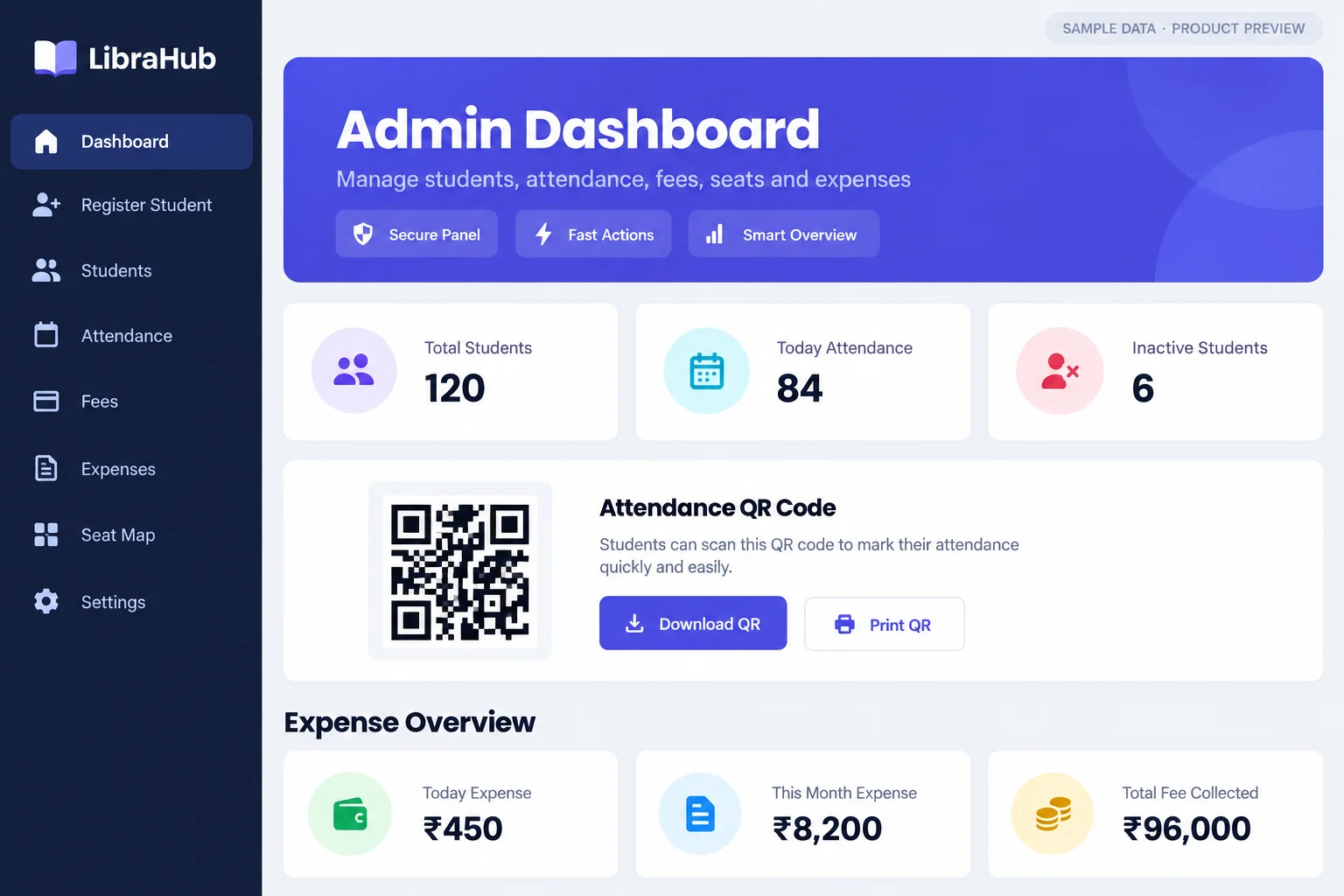
See the most important operational numbers and open daily management actions without switching between systems.
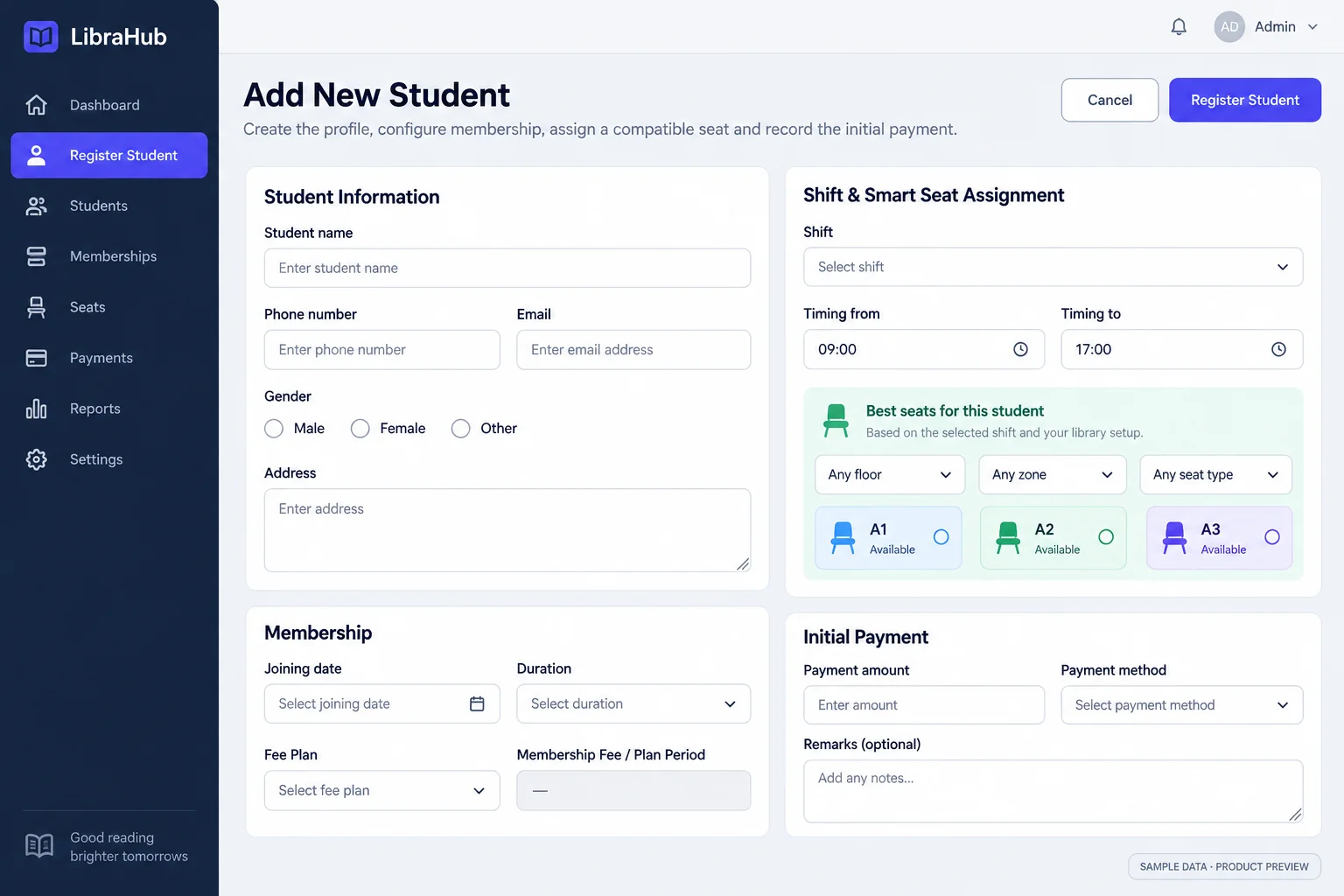
Capture admission, contact, membership and seat information accurately from one professional form.
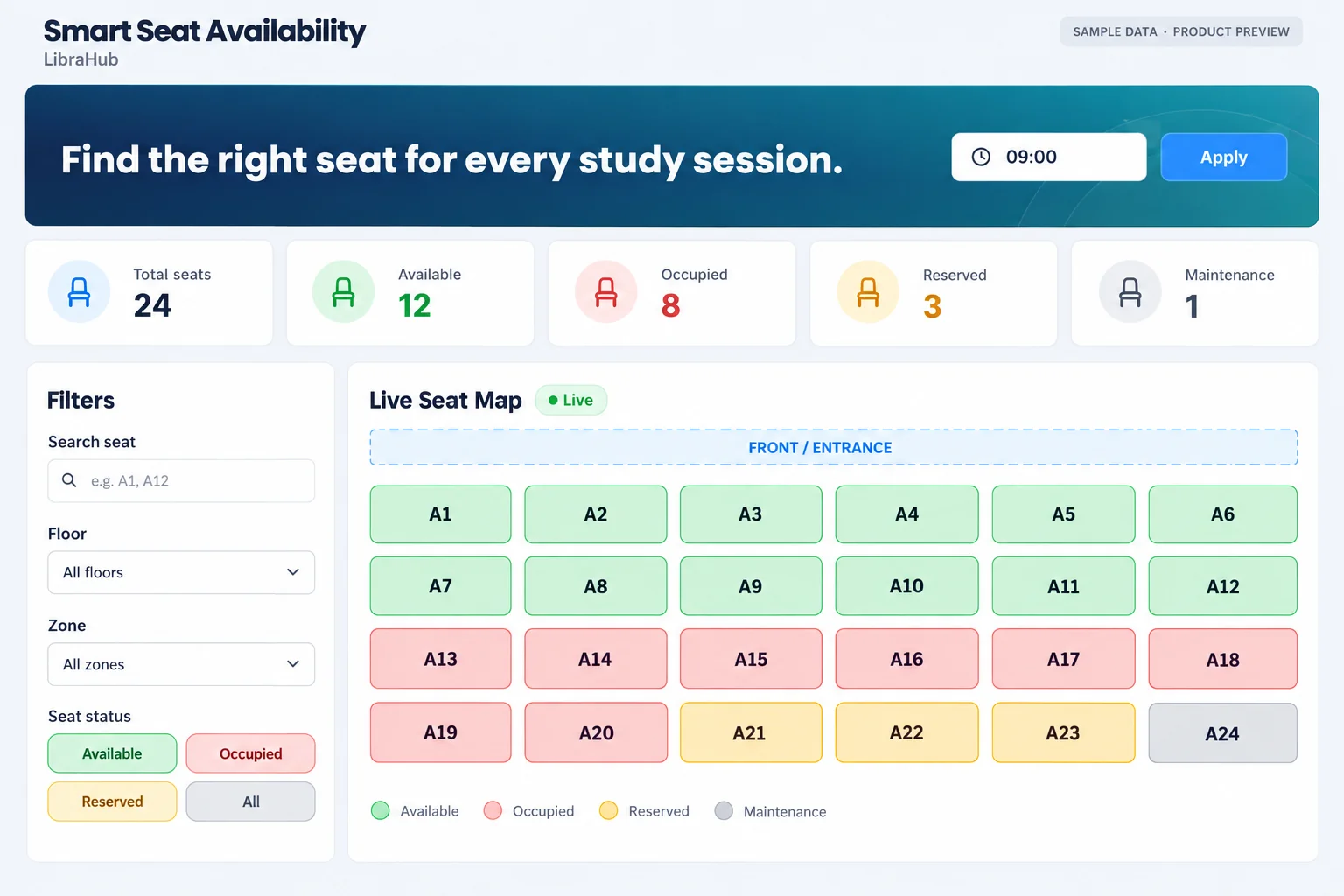
Use the visual map to understand availability, occupancy and student assignments at a glance.
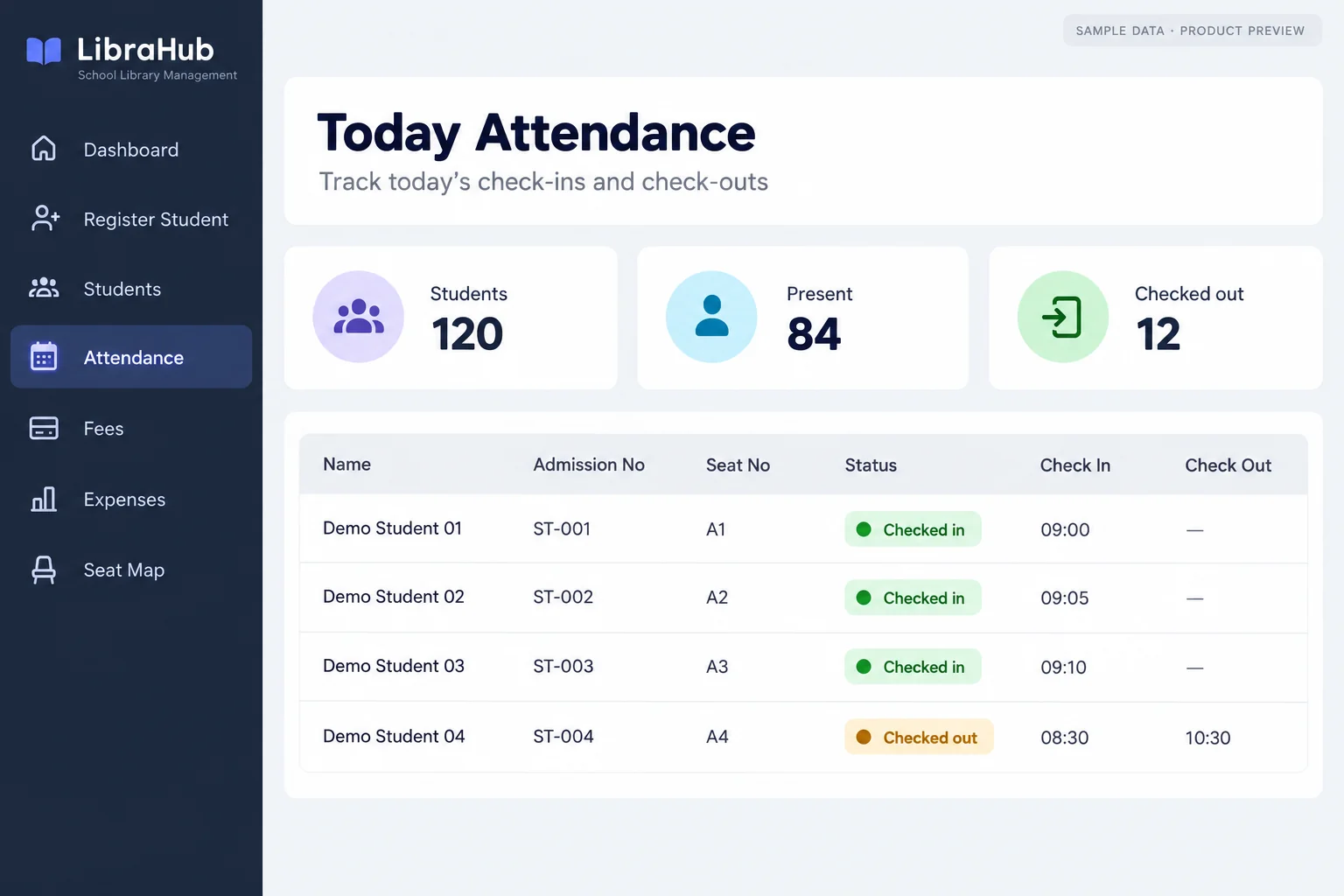
Make check-in faster while maintaining real-time presence totals and searchable student history.
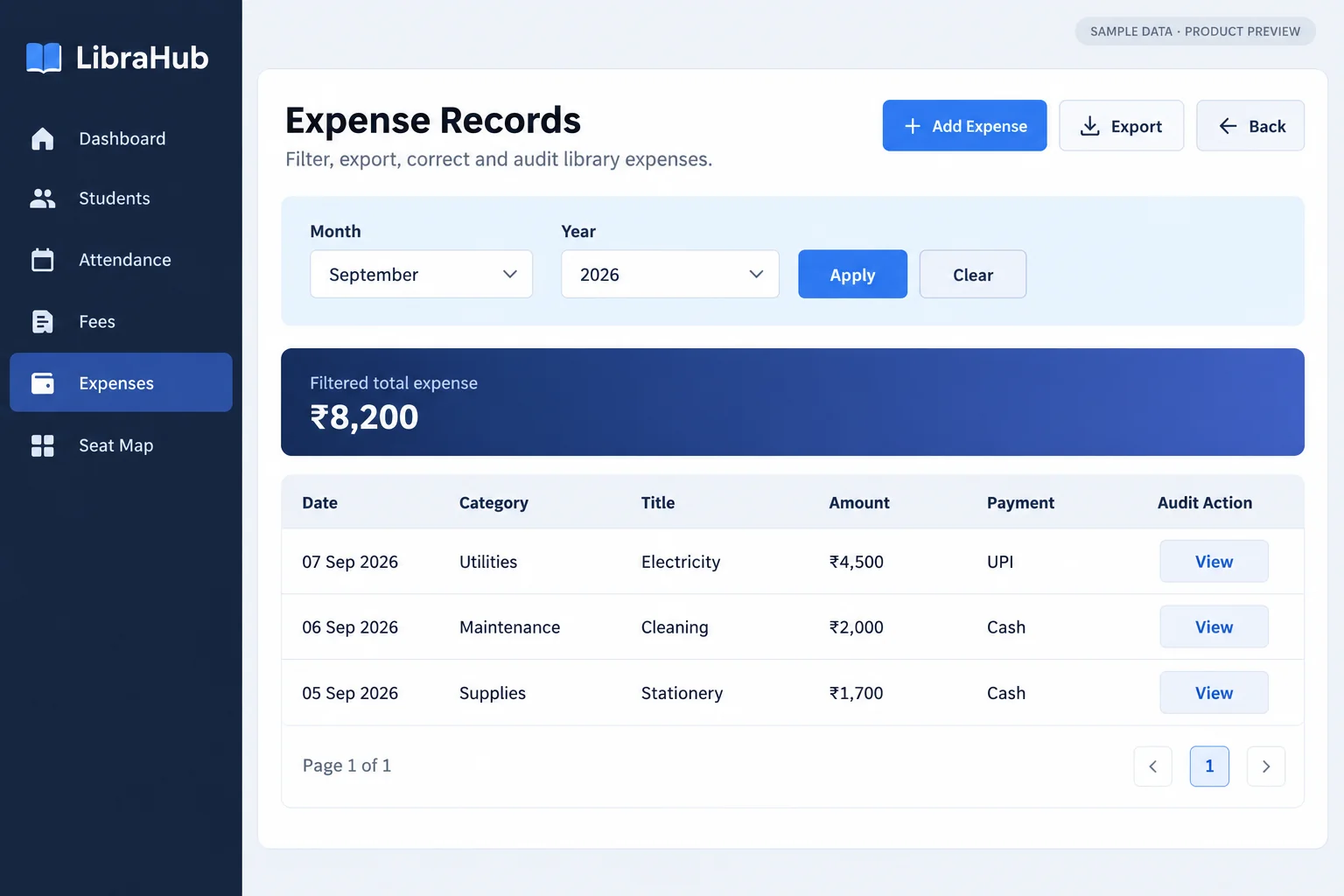
Filter operating expenses by month, review totals and export records from one place.
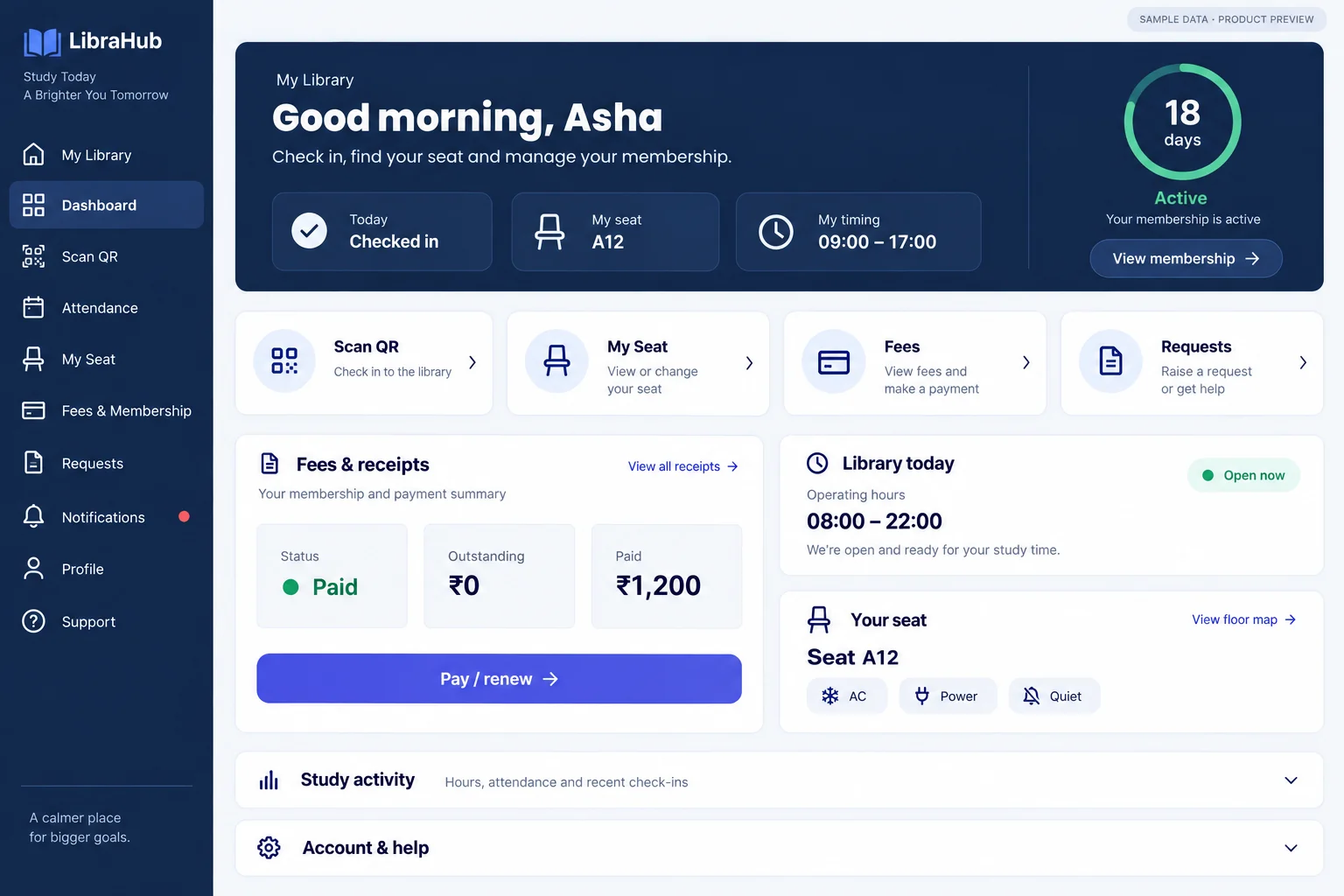
Students can view their profile, attendance, fee status and important library information in one place.
Choose a plan, create your library workspace, set up seats and start daily operations.
Select student, seat and staff capacity that matches the library.
Add the library name, contact details, address and workspace identity.
Set up seats, create the first student and prepare QR attendance.
Run daily operations during the free trial and grow from one dashboard.
LibraHub is designed around tenant-scoped operations, role-based access and controlled subscription features so owners can manage with confidence.
Start with a 30-day free trial. Subscription payment methods are shown in owner billing; student online fee collection requires gateway and library payment-account setup.
For small libraries and reading rooms.
Essential capacityStart with a 30-day free trial.
Core library tools are included. Open the feature details below to compare plan-specific access.
Start Free Trial Continue to registration with this plan selectedFor growing libraries with more seats, reports and staff.
Growth capacityStart with a 30-day free trial.
Core library tools are included. Open the feature details below to compare plan-specific access.
Start Free Trial Continue to registration with this plan selectedFor high-capacity study rooms that need higher limits and priority support.
Maximum capacityStart with a 30-day free trial.
Core library tools are included. Open the feature details below to compare plan-specific access.
Start Free Trial Continue to registration with this plan selectedCapacity limits above are the main difference between these plans. Feature access shown here follows the current plan configuration in LibraHub.
Follow the English / हिन्दी management guide for setup and daily operations. Watch the official walkthrough when available.
Step-by-step videos to help you understand LibraHub and get more from your workspace.
Open the complete YouTube playlist to watch all Working Tutorials in sequence, whenever you need them.
Clear answers about trials, plans, admissions, advance fees, apps and payment availability.
Yes. Owners can start the 30-day trial without an online payment gateway. Subscription renewal uses the payment methods available in owner billing.
Yes. LibraHub is designed as a multi-tenant SaaS platform, so each tenant works inside its own library workspace and data scope.
Yes. The interface is responsive and designed for phones, tablets, laptops and large desktop screens.
Yes. Student, seat and staff limits, along with enabled features, are controlled by the selected subscription plan in your library workspace.
Owner subscription payments and student library fees are separate. Available methods appear in the relevant payment screen. Online student fees require an enabled gateway and a verified, active library payment account.
No. Joining Date records student history. Monthly Payment Day and the owner-confirmed Fee Start Month determine where fee tracking starts.
Yes. With payment day 10, the fee for 10 October–9 November is payable on 10 October. The system does not wait for that period to end.
That period is outside LibraHub fee tracking. It creates no historical dues, automatic receipts or revenue entries.
Yes. For a ₹500 starting period, ₹300 received leaves ₹200 outstanding. Before the period starts it is scheduled; from the start date the unpaid balance is due. Validity extends only when a full period is covered.
Yes. For October tracking with payment day 10, ₹500 received on 1 October covers 10 October–9 November. ₹1,000 covers two ₹500 periods, assuming no earlier tracked balance or other adjustments.
No. A pending application does not start normal fee tracking. The owner confirms Fee Start Month and actual amount received during approval.
The last available day is used: 28/29 in February and 30 in April. The selected day remains 31 for months that support it.
Start the 30-day free trial and open a professional workspace for your team and students.